

Last Update: 2026-02-11
Applies to version: all versions
Overview
This article guides you through connecting the THOR Seed
https://thor-microsoft-defender-atp-guide.nextron-systems.com/en/latest/index.html
to a specific contract in your Nextron Customer Portal to retrieve a THOR license.
THOR Seed is a PowerShell script that automates THOR scans without an agent and runs them through Microsoft Defender for Endpoints, for example.
Prerequisites
-
Access to the
https://portal.nextron-systems.com/
-
A valid THOR Server & Workstation contract with free licenses.
Expected result
The THOR Seed script from the Nextron Portal automatically obtains a THOR license when needed during execution.
Steps to proceed
-
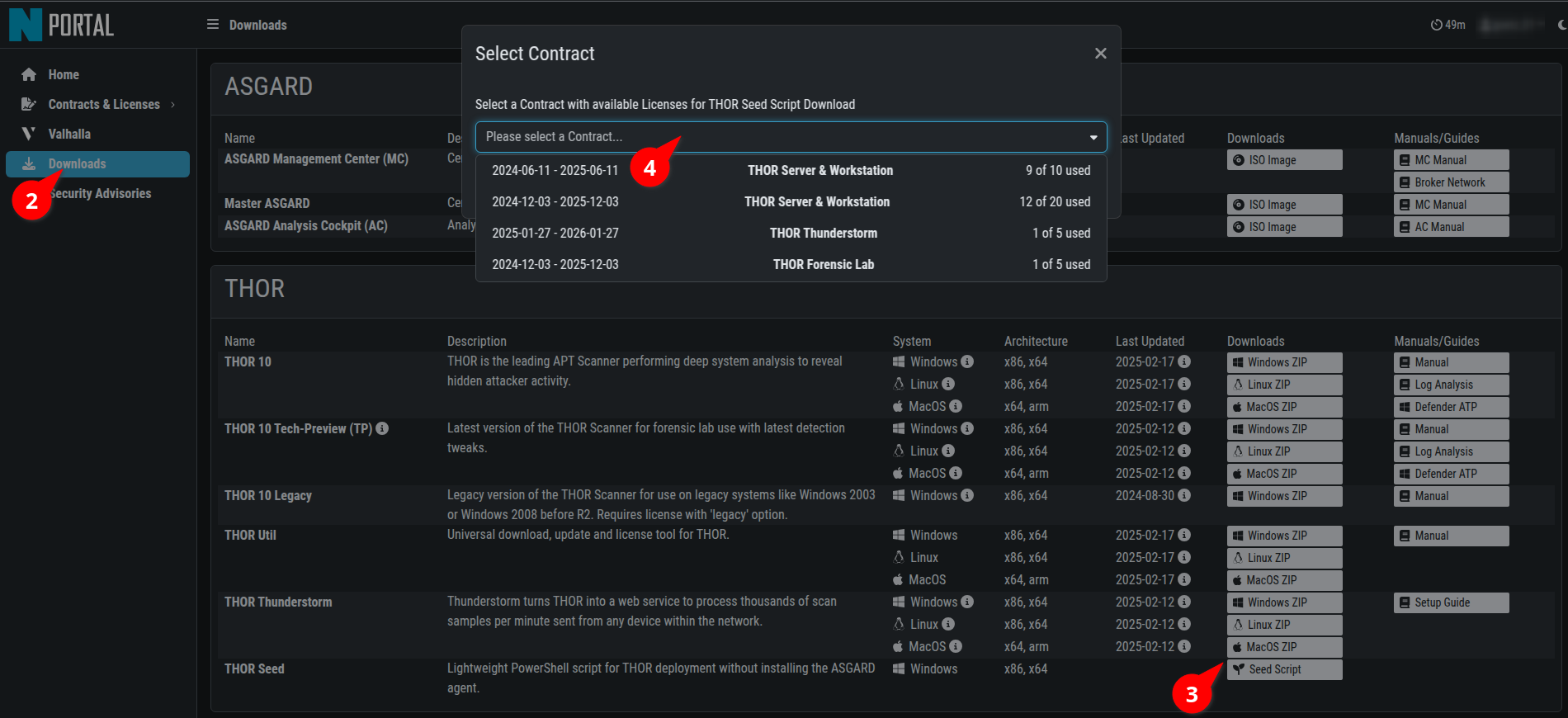
Login into our Customer Portal.
-
Open the Downloads page.
-
Click on "Seed Script" download button.
-
Choose your contract to assign and download the script.
Please be aware that the token as part of the script provide access to software and licenses from the selected contract without further authentication. Please ensure that the script is only used by authorized persons and not made public.