

Last update:
Last verified version: AAC 4.4.3
Issue
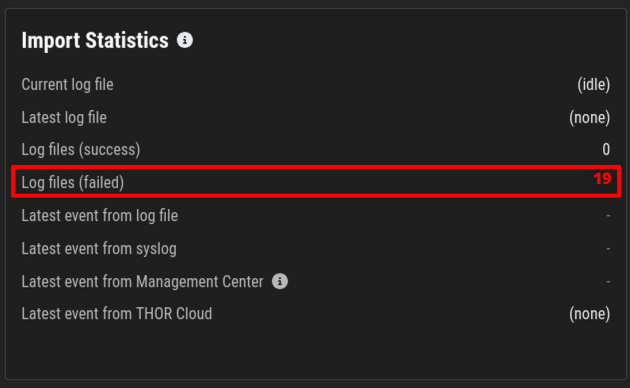
The Cockpit Dashboard shows Log files (failed).
Solution
Login via console and execute the following commands:
Bash
nextron@cockpit:~$ sudo -s
[sudo] password for root:
find /var/lib/asgard-analysis-cockpit/events -name "\*.problem"
Try to fix the issue in the log and remove the label “problem” from the filename. The Cockpit will then retry importing the file. Files already imported successfully are labeled with “*.ok”.
Ensure you can view the imported log data and verify the selected time range in the time range picker for your current view. Note that log data is indexed by the creation timestamp of the log lines, not the import time.
If you import old log data, the default date range in the picker may be too narrow to display the imported data.
Related Content
- Recreating the TLS Certificate on ASGARD Analysis Cockpit
- THOR in Lab-Mode does not scan network or external drives
- THOR Scan Error: No rules with DEEPSCAN tag found
- Troubleshooting Cockpit Login Error and MySQL Connection Issues
- GRPC Connectivity Issues: Understanding TLS Inspection Errors and Solutions