

Last update:
Last verified version: THOR 10, THOR Util 2.0
This article explains how to check if our signatures include detection rules for specific new threats.
If detection rules for a threat are missing, please create a ticket.
Searching the VALHALLA Database
Valhalla contains only our signatures; THOR scanning may also use freely available signatures.
You can search our Valhalla Database in the browser.
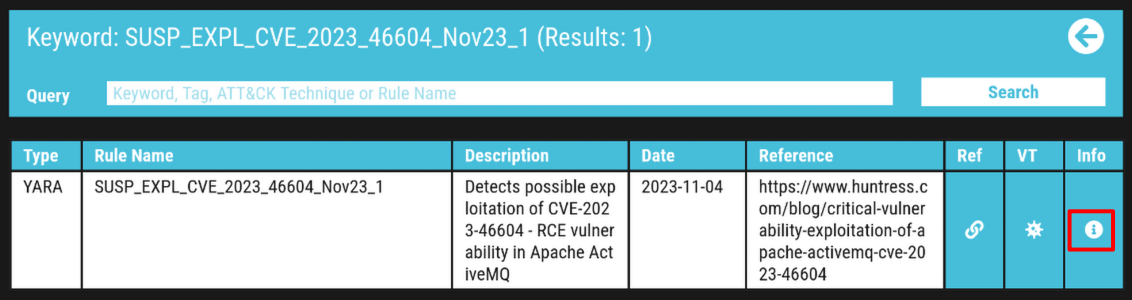
Click the Info icon to retrieve additional information. This information may also be helpful in classifying THOR findings:
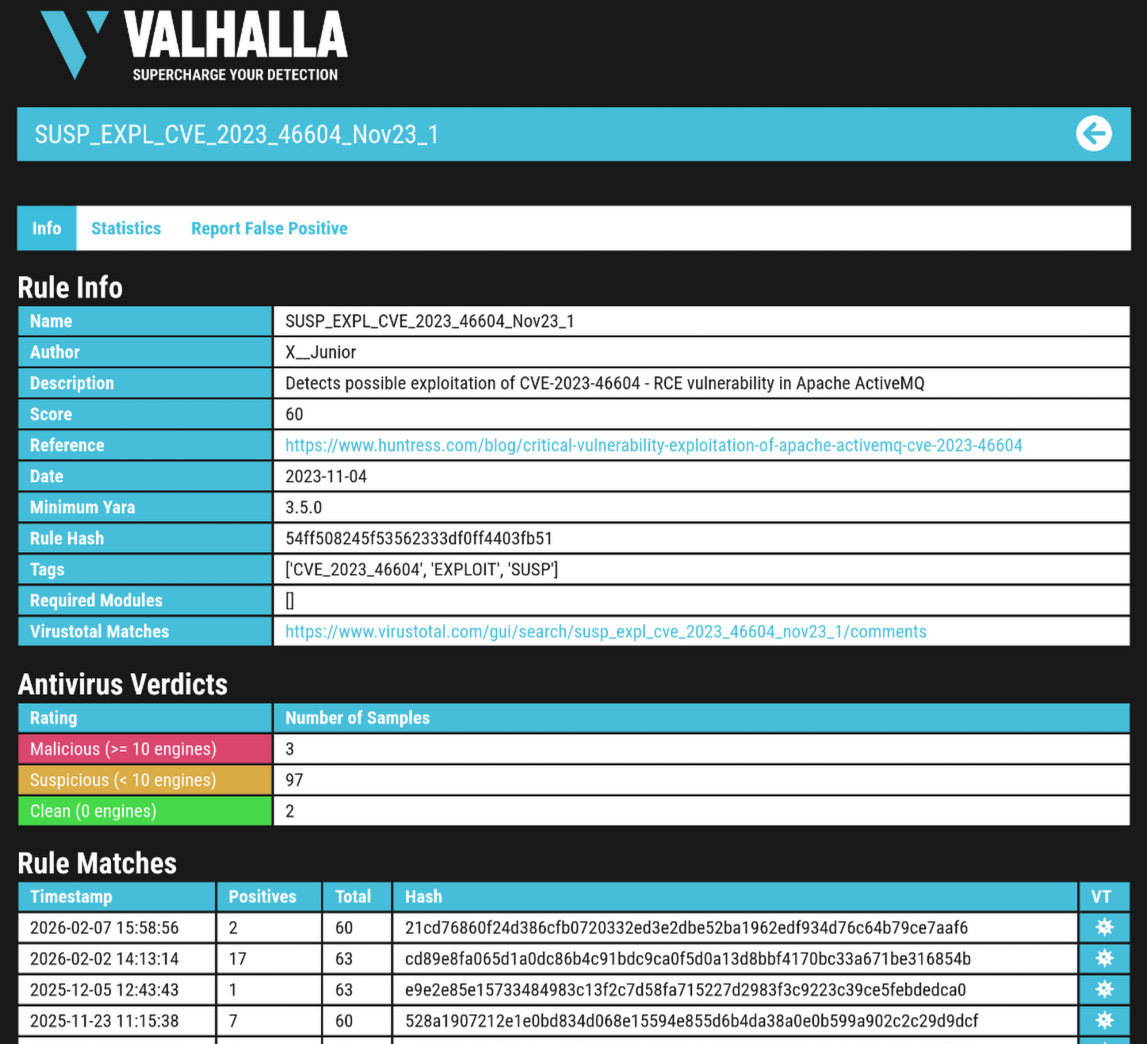
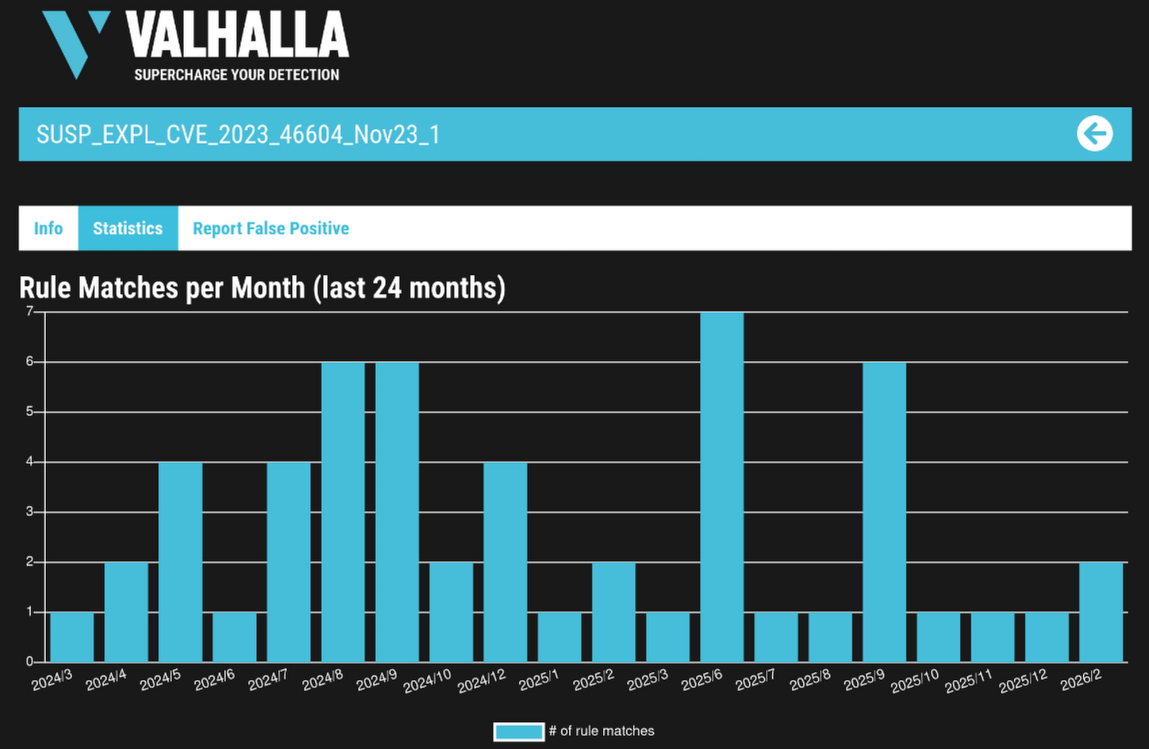
Below the signature details, find a reference link, Virus Total statistics and the possibility to report FP:
Searching the THOR Signatures
THOR Signatures and THOR Signatures SigDev
You can search our productive THOR Signatures or our THOR SigDev signature channel. SigDev is our untested rule set that has not passed QA yet. We do not recommend scanning with this rule set unless instructed. SigDev suits searching signatures which are soon to be used productively.
Using the Management Center
If you are using the Management Center (MC), you have to download THOR with a valid license first on an asset to perform the check. Please refer to this section of our manual:
https://management-center-manual.nextron-systems.com/en/latest/administration/download.html
You can choose between THOR Signatures and THOR Signatures SigDev.
The signatures will usually be up to date. You can verify this on the Update page of ASGARD:
Using THOR Standalone
If you are a standalone version of THOR, please update the signature files first via THOR Util.
The following examples use Windows console commands.
You can use one of the following commands, depending if you would like to use THOR Signatures or THOR Signatures SigDev:
thor-util.exe update
thor-util.exe update --sigdev
After completing the search in the next step, you can revert to production signatures by deleting the signature folder and update then again:
thor-util.exe update
Searching the Database
The following commands can be used to search the database for a keyword, in this example for phantomnet.
thor64.exe --print-signatures --init-selector phantomnet
THOR 10.7.27
Signatures 2026/01/05-152355
TYPE: YARA NAME: APT_MAL_SMangaer_Phantom_Plugin_Dec20_1 DESCRIPTION: Detects Smanager / PhantomNet plugin SCORE: 75 DATE: 2020-12-17 REFERENCE: https://www.welivesecurity.com/2020/12/17/operation-signsight-supply-chain-attack-southeast-asia/ AUTHOR: Florian Roth TAGS: APT EXE MAL
TYPE: YARA NAME: APT_CN_MAL_PHANTOMNET_Oct21_1 DESCRIPTION: Detects PHANTOMNET malware used by Chinese threat actors SCORE: 80 DATE: 2021-10-06 REFERENCE: Mandiant Cyber Defense Summit 2021 - TECH-V: Unveil the Mysteries Behind the Colorful Panda Footprint Operation UC1352 AUTHOR: Florian Roth TAGS: APT CHINA EXE FILE MAL
TYPE: YARA NAME: MAL_PhantomNet_Backdoor_Aug24 DESCRIPTION: Detects PhantomNet backdoor, attributed to TA428 SCORE: 80 DATE: 2024-08-12 REFERENCE: https://news.sophos.com/en-us/2024/06/05/operation-crimson-palace-sophos-threat-hunting-unveils-multiple-clusters-of-chinese-state-sponsored-activity-targeting-southeast-asia/ AUTHOR: X__Junior TAGS: MAL
TYPE: Handle IOC DESCRIPTION: Phantomnet Mutex Mandiant Cyber Defense Summit 2021 2021-10-08 Internal Research (CHINA, MAL)
Scanning with Threat Specific Signatures
To limit the THOR scan to threat-specific signatures, the following flag can be used:
C:\thor\thor64.exe --init-selector "notepad"

More information on this can be found in our manual:
https://thor-manual.nextron-systems.com/en/latest/usage/scan.html#select-or-filter-signatures-during-initialization
Related Content