Last update:
Last verified version: THOR 10, THOR Util 2.0, Management Center 4.0.2
Standard THOR signatures are typically updated once a week, usually between Monday and Tuesday. These updates undergo a testing procedure involving both automated checks and review by our QA Team. This process ensures stability and minimizes false positives.
However, in critical situations where immediate detection is required, we offer the SigDev (Signature Development) release channel. This article explains how to use it for your scans.
What is the SigDev Release?
The SigDev channel provides access to the latest signatures immediately after automated testing, bypassing manual QA. We do not recommend scanning with this rule set unless instructed or responding to a current threat. SigDev suits searching signatures which are soon to be used productively.
Benefit: Immediate coverage for the absolute latest threats and vulnerabilities.
Risk: Because these signatures have not been manually verified by our QA team, there is a slightly higher risk of operational issues or an increased False Positive rate.
Enabling SigDev with THOR
You can switch to the SigDev signature set using the THOR Util helper tool.
Run the following command in your terminal:
thor-util.exe update --sigdev
You can revert to production signatures by updating the signatures again:
thor-util.exe update
Enabling SigDev with the Management Center
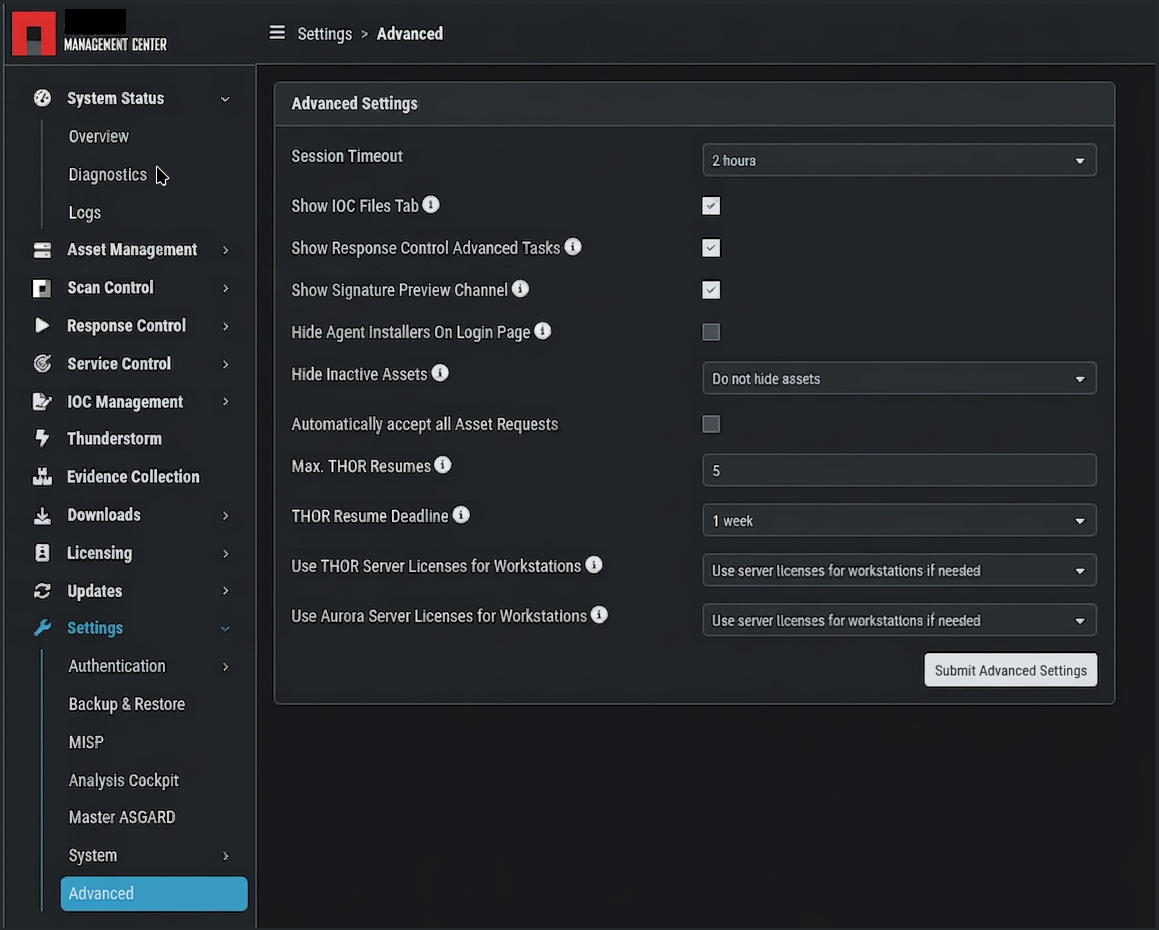
Enable the Signature Preview Channel in the advanced Management Center settings before use:
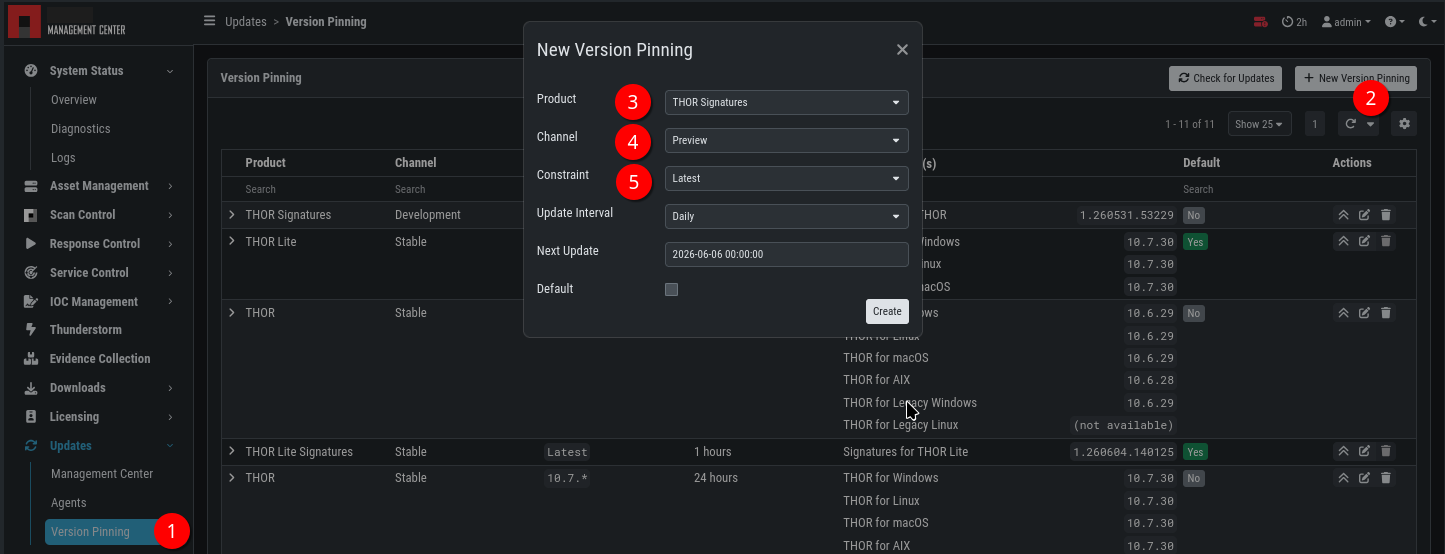
Then create a new Version Pinning (1, 2) for the product “THOR Signatures” (3), channel “Preview” (4) with the constraint “Latest” (5).
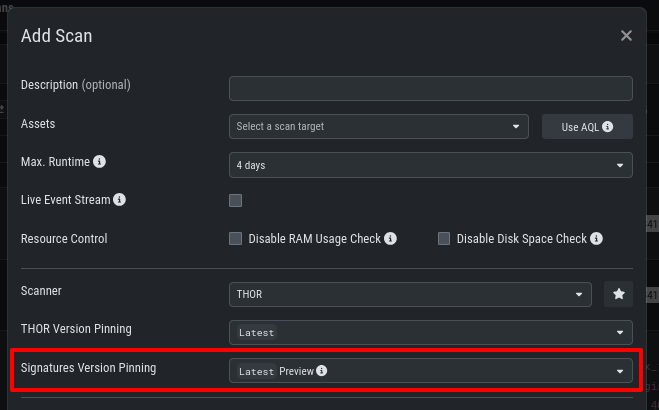
You can then select these signatures from the Scan Menu.