

Scans are monitored in differently by the ASGARD Management Center, the Agent and THOR.
Default Resource Control Flags
The THOR flags "max_runtime 0" and "minmem 0" are added by default when publishing a scan task via AMC. They ensure the agent exclusively controls runtime and memory usage. This is evident in the following argument list displayed in the agent log:
2025/01/17 09:44:23 ASGARD_GENERIC: Info: {"level":"INFO","time":"2025-01-17T09:44:23+01:00","message":"running thor with args: [-l C:\\Windows\\System32\\asgard2-agent\\cache\\thorlog.0b6f1ec0-7476-41ca-814a-56e4202ae3ad.txt --htmlfile C:\\Windows\\System32\\asgard2-agent\\cache\\thorlog.0b6f1ec0-7476-41ca-814a-56e4202ae3ad.html --nocsv --ca C:\\Windows\\Temp\\asgard2-agent\\0b6f1ec0-7476-41ca-814a-56e4202ae3ad\\ca.pem --minmem 0 --max_runtime 0 --progress-output \\\\.\\pipe\\thor-progress]","component":"runner"}
AMC Monitoring
The AMC monitors the scan indirectly via the values "Max THOR resumes" and "THOR Resume Deadline".
The scan job is no longer assigned to the asset by the AMC and marked as canceled with errors under the following conditions:
-
The "Max THOR resumes" counter has reached its upper limit (default value 5 resumes, can be modified under "Settings / Advanced")
-
"THOR Resume Deadline" has reached its upper limit (default value 1 week, can be modified under "Settings / Advanced")
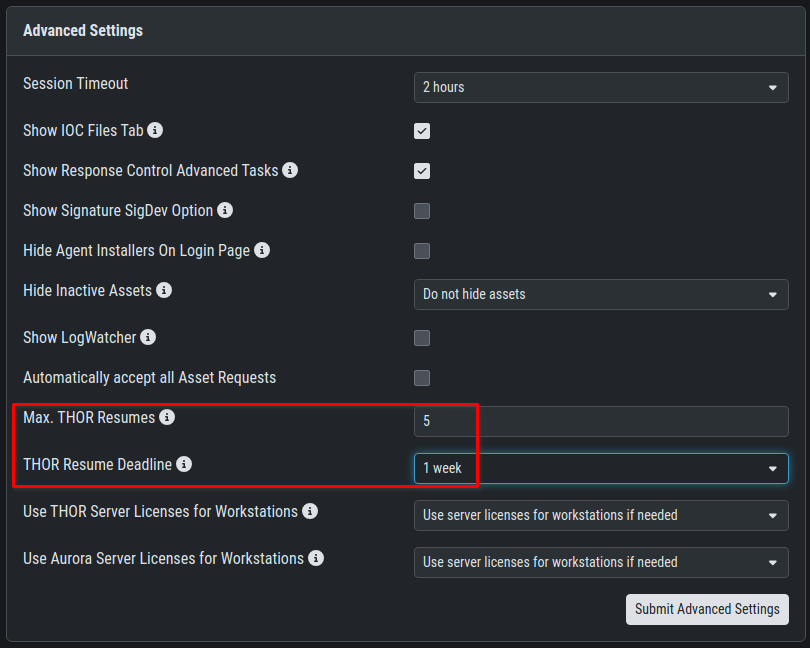
If these conditions are met, the error message displayed in the scan details looks like:
"failed to send start task request: rpc error: code = Unknown desc = task has already been started and cannot be resumed anymore (max resumes: 5, deadline: 2025-01-20T06:53:13Z)"
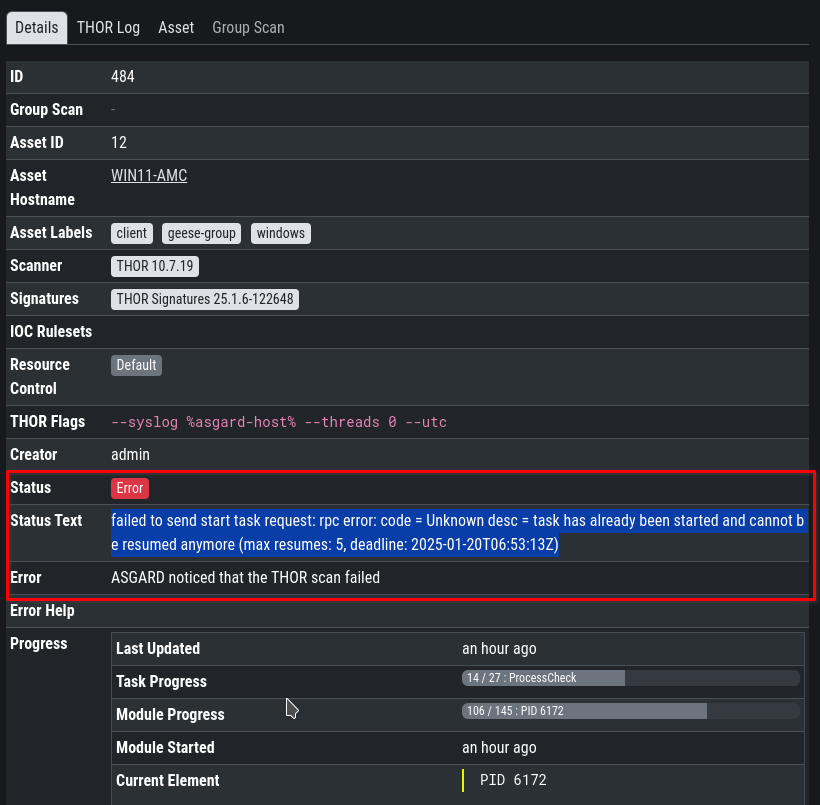
Agent Monitoring
The scan is aborted by the agent and marked as failed in the AMC when:
-
System memory limits are reached (please see section below)
-
System disk space is below 500 MB
-
Task exceeded max runtime
-
A scan is already running
The resource checks are configured when you create a scan task.
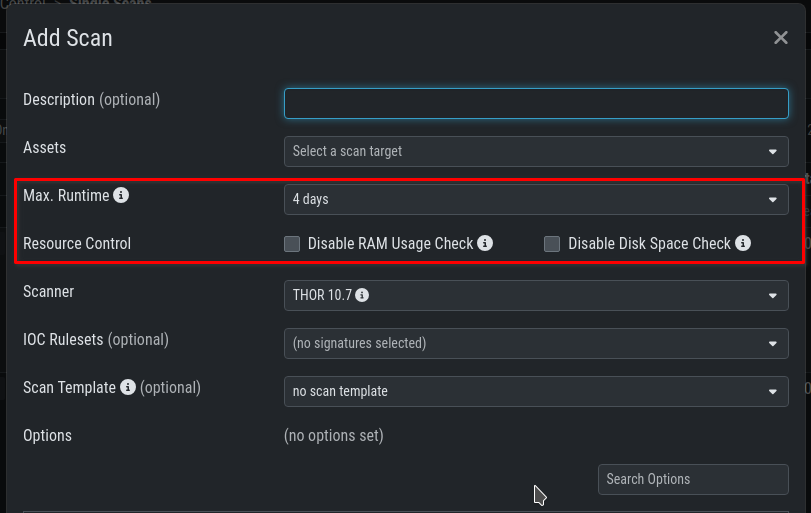
Note: Disabling the Resource Control options of the agent will not reactivate THOR memory and runtime monitoring. The flags "max_runtime 0" and "minmem 0" remain published by the AMC scan task. The following message appears in the agent log when the "Disable RAM Usage Check" checkbox is set:
2025/01/17 16:07:19 ASGARD_GENERIC: Info: {"level":"INFO","time":"2025-01-17T16:07:19+01:00","message":"skipping THOR watcher. THOR will not be killed if not enough resources are available on system.","component":"runner"}
In addition the THOR flag norescontrol is added when disabling the Disk Space Check.
THOR Monitoring
THOR includes built-in resource controls that can abort scans under certain conditions. The scan is automatically terminated if:
-
Available physical memory drops below 50 MB
-
Another THOR instance is already running on the system
-
Log data exceeds 60 MB, at which point THOR switches to "reduced logging" mode, and if an additional 4 MB is written, the scan aborts
-
THOR flags contain syntax errors or are incompatible with the current version
For scans deployed through the AMC, the "norescontrol" flag only disables the log data size check. The memory check is already disabled by default when using the ASGARD Agent, and the agent itself manages detection of concurrent THOR instances.