

Agent file paths
The following file paths are in use by the ASGARD agent. The listed directories should have sufficient storage space and no restricted write permissions for root (e.g. through the use of CIS benchmarks), to enable smooth operation. Please see also [TODO: Create Article or link manual] EDR and Antivirus Considerations EDR and Antivirus Considerations.
|
|
Windows |
Linux |
macOS |
|---|---|---|---|
|
Service Binary |
C:\Windows\System32\asgard2-agent\asgard2-agent-service.exe |
/usr/sbin/asgard2-agent-service |
/private/var/lib/asgard2-agent/asgard2-agent-service |
|
Working folder |
C:\Windows\System32\asgard2-agent\ |
/var/lib/asgard2-agent/ |
/var/lib/asgard2-agent/ |
|
THOR Package Temp folder |
C:\Windows\Temp\asgard2-agent\ |
/var/temp/asgard2-agent/ |
/var/temp/asgard2-agent/ |
|
Agent Log |
C:\Windows\System32\asgard2-agent\log\agent.log |
/var/lib/asgard2-agent/log/agent.log |
/var/lib/asgard2-agent/log/agent.log |
|
THOR Scan Logs |
C:\Windows\System32\asgard2-agent\cache |
/var/lib/asgard2-agent/cache/ |
/var/lib/asgard2-agent/cache/ |
|
THOR DB |
C:\ProgramData\thor\thor10.db |
/var/lib/thor/thor10.db |
/var/lib/thor/thor10.db |
With the current version of our agent it is not possible to change the above listed execution paths. This will be implemented in a future version.
Agent-AMC Communication
To effectively debug failed THOR scans, you need to understand how ASGARD Management Center (AMC) and the ASGARD Agent communicate with each other
The AMC and agent maintain a permanent two-way connection that allows them to exchange status updates, task assignments, and scan information. Through this channel, the AMC can send new scan tasks to agents or cancel existing ones, while agents can report back their status and synchronize task details. The agent initiates this connection, which remains active continuously, not just during THOR scans.
Feedback Mechanisms
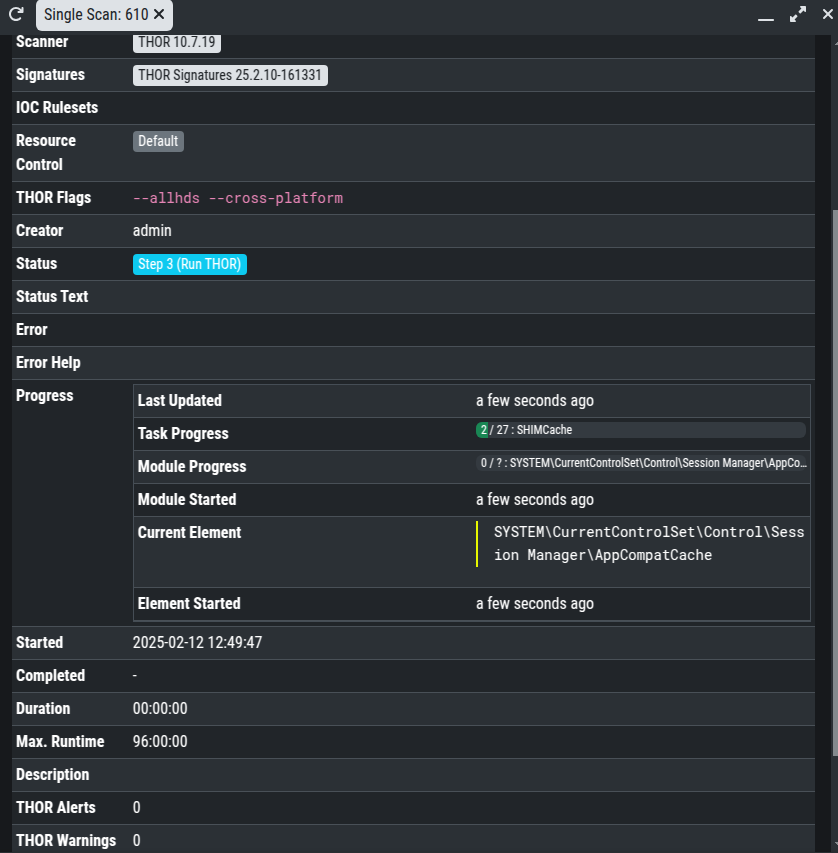
While scanning the THOR log is written on the asset (e.g. c:\windows\system32\asgard2-agent\cache\). Simultaneously the agent informs constantly the AMC about the progress of the scan.
Scan vs. Other Task Behavior
The behavior of tasks varies depending on whether they are scan tasks or other task types when asset status changes occur.
Scan tasks:
-
When the asset or agent service restarts during a scan, the agent re-establishes the connection once it comes online and can reach the AMC, and the scan task is reassigned and executed from the beginning
-
When the asset shuts down during a scan, the scan is marked as faulty and will not restart automatically
-
When the network connection between the asset and AMC is interrupted, the scan continues running and status information synchronizes once the connection is restored
Other tasks:
-
When the asset or agent service shuts down or restarts, the task is marked as faulty and will not restart automatically
-
When the network connection is interrupted, the task continues to run and status information synchronizes once the connection is restored
THOR Log Upload
After a THOR scan completes, the agent uploads the scan log to the AMC using TLS encrypted communication. Before uploading, the agent verifies that the log contains the "Thor Scan finished" notice. If this entry is absent, the agent marks the scan as faulty and does not upload the log to the AMC.
Successful Scan Message
The following message is displayed in a successfully completed THOR scan log:
Jan 17 09:33:32 WIN10-AMC/192.168.94.101 THOR: Notice: MODULE: Report MESSAGE: Thor Scan finished SCANID: S-pIG9lKxAhB4 END_TIME: Fri Jan 17 10:33:32 2025 ALERTS: 0 WARNINGS: 5 NOTICES: 12 ERRORS: